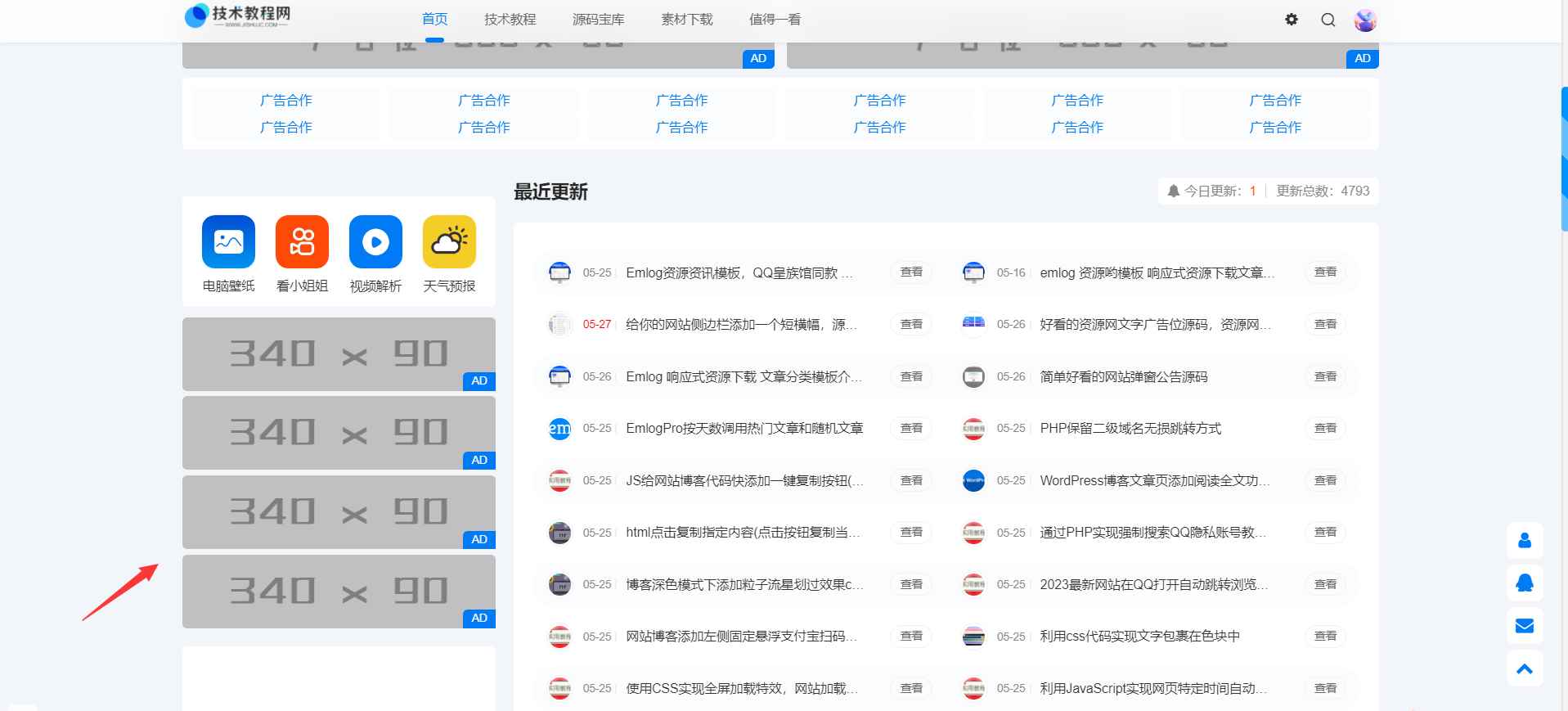
给你的网站侧边栏添加一个短横幅,源码分享
给你的网站侧边栏添加一个短横幅,源码分享
鼠标经过浮动效果
演示
源码
html
[lv]
<!--QQ资源吧 m.qqzy8.com-->

<div class="index-ad2">
  <li>
    <a href="#" target="_blank"><img src="https://m.qqzy8.com/content/uploadfile/202305/bfa51685200973.png" alt="ad"></a>
  </li>
  <li>
    <a href="#" target="_blank"><img src="https://m.qqzy8.com/content/uploadfile/202305/bfa51685200973.png" alt="ad"></a>
  </li>
  <li>
    <a href="#" target="_blank"><img src="https://m.qqzy8.com/content/uploadfile/202305/bfa51685200973.png" alt="ad"></a>
  </li>
  <li>
    <a href="#" target="_blank"><img src="https://m.qqzy8.com/content/uploadfile/202305/bfa51685200973.png" alt="ad"></a>
  </li>
</div>
[/lv]
css
[lv]
/*QQ资源吧 m.qqzy8.com*/
.index-ad2 {
  width: 100%;
  border-radius: 5px;
  margin-top: 11px;
  position: relative;
}

.index-ad2 li {
  margin-bottom: 6px;
  position: relative;
  transition: all .3s;
}

li {
  list-style: none;
}

.index-ad2 li::before {
    position: absolute;
    content: " AD";
    width: 35px;
    height: 20px;
    background: #007bf5;
    right: 0;
    font-size: 12px;
    bottom: 0;
    color: #fff;
    border-radius: 5px 0 0;
    line-height: 20px;
    text-align: center;
}
.index-ad2 li:hover {
  transform: translateY(-5px);
  box-shadow: 0px 5px 10px rgba(0, 0, 0, .2);
}
.index-ad2 li img {
    height: 80px;
    width: 100%;
    border-radius: 5px;
}
[/lv]